Capacity for each class
Set each class's capacity and see which places are booked and which are available.

LEARN · Scheduling and bookings
One schedule for your DeROSE school and a clear place for every student. Manage bookings and help students maintain a regular practice.
A day at your school
Bring your class schedule and student participation together in one place.
Set each class's capacity and see which places are booked and which are available.
Manage bookings for students who attend every week without arranging each class separately.
When a class is full, your students can join its waitlist.
Set cancellation deadlines so students can manage their bookings according to your school's rules.
Record participation with check-ins and see who attended each class.
Manage different class formats from the same schedule.
They browse the schedule and find a time and format that work for them.
They make a booking or join the waitlist if the class is full.
Your team reviews bookings, organizes the class and records attendance. Students manage their bookings according to the configured rules.
LEARN
Enable guest bookings and share your school's public link. Guests choose a class and enter their details without creating a Learn account.
If you configure a one-time payment option through your school's Mercado Pago or Stripe account, guests can pay as they book. Their booking is confirmed automatically once the approved payment is verified.
Explore paid guest bookings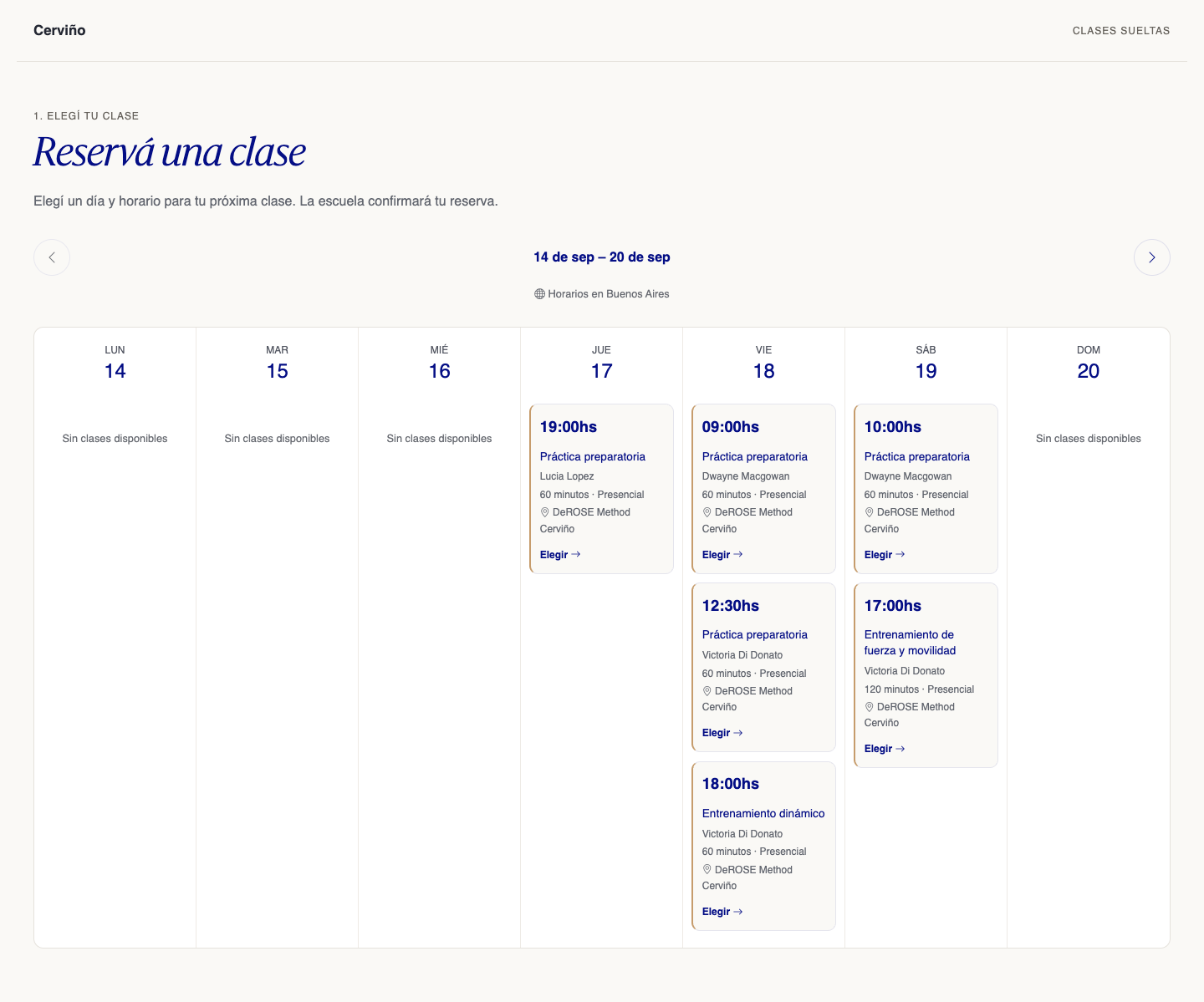
Yes. Your students can book through Learn. If you enable guest bookings, new visitors can also choose a class from your public schedule without creating a Learn account.
Your students can join the waitlist. Your team can review the bookings and waitlist for each class.
Yes, subject to the cancellation deadlines and rules you configure for your classes.
Yes, if you enable this feature and configure a one-time payment option through your school's Mercado Pago or Stripe account. The booking is confirmed automatically once the approved payment is verified.
Tell us about your classes and let's explore how Learn can support your schedule, your students and your team.